AcademyHow to Improve Typing Accuracy: Fix Your Errors
Improve typing accuracy by finding which errors you make (wrong, missing or extra letters) and fixing the causes: your pace, your finger use, your keyboard.

On this page11 sections
To improve your typing accuracy, find out which mistakes you make, then fix their causes: slow down by about a tenth until you rarely miss, press every key with the same finger, keep your eyes on the text, and fix a slip the moment you feel it, inside the word. The most common typing error is a wrong letter, and it is the one that most separates fast typists from slow ones: in a detailed analysis of typists from a 168,960-volunteer study, the slowest made more than four times as many as the fastest.Source 1
Key takeaways
- Accuracy counts every miss, including the ones you fix. Only typing it right the first time raises it.
- Know your error type. Wrong letters, missing letters, extra letters and swapped letters call for different checks.
- Researchers link wrong letters to inconsistent typing. Give every key one finger, every time.
- Your hands notice slips, not just your eyes. When a key feels wrong, fix it at once.
- Rule out the keyboard if one letter keeps doubling or going missing.
What typing accuracy measures
On TYPETRANCE, accuracy judges every keystroke at the moment you type it, so a slip you fix still counts as a miss. That follows how text entry research counts errors: correcting an error moves it from the uncorrected to the corrected group, but doesn’t change the total error rate.Source 3 Your corrected WPM is the other half of the picture: a word with a mistake left in it earns no credit.
The scale is easy to underestimate. At 60 WPM you type about 300 characters a minute, so 97% accuracy means roughly nine misses every minute, and 94% about eighteen. Each one costs a correction or a word.
The four kinds of typing error
Text entry research sorts mistakes into a few types, and each one suggests different questions to ask about your typing:
| Error | Example | Check first |
|---|---|---|
| Wrong letter (substitution) | “riad” for “road” | Does the same finger always press that key? |
| Missing letter (omission) | “commitee” for “committee” | Are you typing faster than your fingers can follow? |
| Extra letter (insertion) | “string” for “sting” | Does the key register twice, or does a finger brush a neighbor? |
| Swapped letters (transposition) | “teh” for “the” | Are you reading the whole word before you type it? |
The first three examples come from the large keyboard study, and so do the rates below.Source 1 Wrong letters (1.65% of characters) were more common than missing letters (0.80%) or extra ones (0.67%). Wrong and missing letters were also more closely tied to speed than extra letters, and the gap between the fastest and slowest typists was largest for wrong letters, 0.84% against 3.72%. The authors suggest that substitutions are common among typists who type less consistently and have a poor sense of where their fingers are.
On phones the mix shifts: in a study of 37,370 volunteers, wrong letters made up 55.6% of the errors left in the text, missing letters 33.3% and extra letters 11.1%.Source 2 Championship rules count swapped characters as an error of their own.Source 7 The questions in the table are our starting points for a diagnosis, not research findings: test them against your own pattern.
Find your error pattern
Look for where your errors cluster. On TYPETRANCE, the debrief after each test gives you three places to look:
- The keyboard heatmap shows your slowest and most error-prone keys. Several keys under one finger suggest a finger to retrain; one key on its own suggests a single reach to practice.
- Your most frequent slips. When your accuracy is low, the note after the test lists the slips you made most. The same slip run after run is a pattern worth a drill.
- The telemetry trace marks your typos, fixes and pauses along the run. Typos bunching up near the end of longer tests mean your pace is too high to hold.
Fix 1: slow down a little, and evenly
The speed–accuracy trade-off is real while you type: in a series of experiments, skilled typists were able to trade speed for accuracy.Source 6 So the first fix is pace. When your accuracy falls below about 94%, the note after each test suggests easing off by about 10% and aiming for 97%, a rule of thumb rather than a scientific threshold.
Ease every keystroke a little rather than typing at full speed and stopping before hard words. Stops cost time without making the fast stretches cleaner. Accuracy vs speed shows how to find your balance and when to push again.
Fix 2: one finger for every key
Consistency is what the research points to. When researchers motion-captured everyday typists, pressing each letter consistently with the same finger was one of three habits that predicted high performance, along with preparing upcoming keystrokes and keeping the hands still.Source 4 If you hunt for keys or switch fingers on the same letter, slow practice with a fixed finger for each key, the core of touch typing, builds that consistency.
Fix 3: trust the feel of a slip
Skilled typists catch errors in two ways. In an experiment where the computer secretly fixed some real errors and planted false ones, typists’ reports followed the screen: they took credit for the fixed errors and blamed themselves for the planted ones. Their typing told another story: it slowed after their real errors, even the fixed ones, and not after the planted ones.Source 5 One check follows the screen; the other follows the keys.
Use both. When a keystroke feels wrong, fix it at once with a Backspace or two, while you are still inside the word. Waiting until the screen confirms it, or until after the space, turns a quick fix into a slow one.
Race it now
BootcampAccuracy drill
Drill it: the accuracy drill holds you on each word until it’s right.
- 1-minute test
- 1,000 common words
- stop on error

Fix 4: drill accuracy on purpose
Some TYPETRANCE settings make every error impossible to ignore. Each one changes the rules, so its results are kept apart from your normal personal bests:
- Word Lock (Settings, Arena, Precision): the space bar won’t move you past a wrong word. The accuracy drill runs with it.
- Letter Lock: a wrong key holds you until you fix it.
- No Rewind (Settings, Arena, Modifiers): Backspace is off, so every slip costs its word.
When clean runs feel normal, test it on longer text: the 100-word test rewards a passage typed cleanly from start to finish.
Fix 5: rule out your keyboard
If the same letter keeps appearing twice, or going missing, test the key before you blame your fingers. Key chatter, one press registering as two or more, puts letters in your text that you never meant to type. The keyboard tester flags a press that arrives within your chosen threshold after the same key was released, and shows which keys register at all. A key that keeps doing it needs attention, not practice.
How accurate is accurate enough?
It depends on the test. Here is how strict some real standards are:
- A U.S. federal typing test: three or fewer errors in a five-minute sample.Source 8 At 40 WPM, that is fewer than one error per 300 characters.
- The Intersteno world championship: no more than 0.25% errors over 30 minutes, with 100 points lost for each one.Source 7
- Everyday typists: the volunteers in the large keyboard study left 1.17% of their text wrong after their own corrections; the fastest tenth left 0.71%.Source 1
For practice, aim for steady accuracy in the high 90s first, then add speed in short pushes. Accuracy is not the opposite of speed: in the same study, typists who made and corrected fewer errors were generally faster.Source 1
Frequently asked questions
What is a good typing accuracy?
There is no universal standard. TYPETRANCE's note after a test suggests easing off below about 94% and aiming for about 97%. Strict tests count errors in the finished text and allow very few: Intersteno's 30-minute championship counts a result only with 0.25% errors or fewer.
Why is my accuracy low when my text came out right?
Because accuracy counts every miss at the moment you typed it, including the ones you fixed. Text entry research measures errors the same way: correcting an error moves it from uncorrected to corrected, but doesn't remove it from the total.
Should I use Backspace during a typing test?
Yes, quickly. A word left with a mistake earns no credit on TYPETRANCE, while fixing a slip inside the word takes a keystroke or two. Going back after the space costs much more time.
Does typing slower improve accuracy?
In the moment, usually: skilled typists in experiments could trade speed for accuracy. Over time, though, accurate typists are the fast ones, so slowing down is a step in training, not the goal.
Why do I keep typing the same letter twice?
It may be your timing, or it may be the key. Test the key in the keyboard tester: if one press registers as two, the key is chattering, and no amount of practice will fix that.
Sources
How this guide is made
The sources behind this guide are listed above with the date we last checked each one. A guide stays marked as a draft until an editor has reviewed it.
Scores on TYPETRANCE follow published rules: How WPM Is Calculated: The Formula and TYPETRANCE's Exact Rules and Flow Score: How the Experimental Rhythm Metric Works.
More in Guides
Typing Ergonomics: Desk, Keyboard and Posture Checklist
Set up your chair, keyboard, screen and breaks the way OSHA and the UK's HSE recommend. A practical checklist for comfortable typing and practice.

How to Type Faster on a Phone: What Works
Type faster on a phone with two thumbs and autocorrect, not word suggestions: what a study of 37,370 volunteers found, and how to measure your speed honestly.
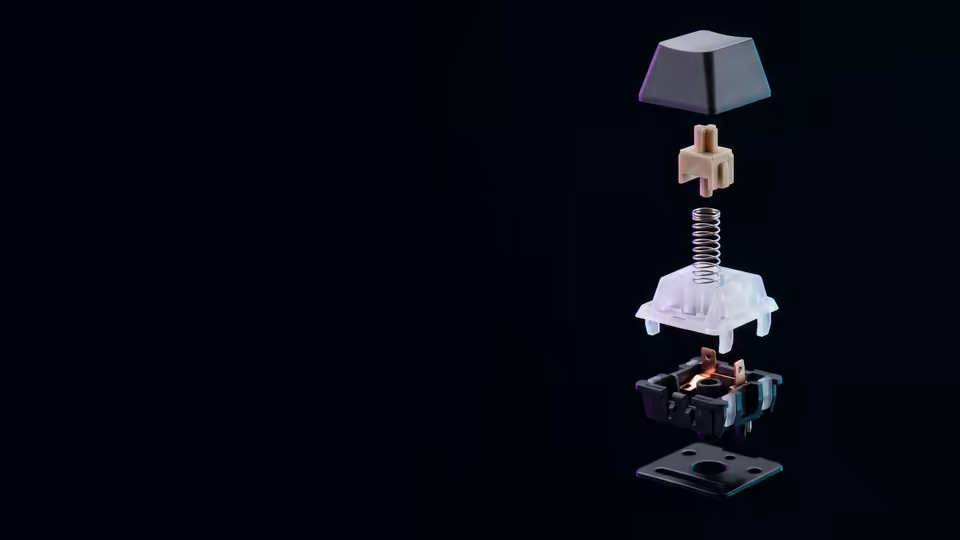
Mechanical Keyboards: Do Switches Make You Type Faster?
What linear, tactile and clicky switches change, what actuation and rollover mean, and what research says about keyboards and typing speed.